Practise your BMFA test in the free Trainer Sim
A free flight simulator in your browser that marks every flying item of the BMFA A and B tests the way an examiner would. Here is how to use it.
 Matt Takhar12 November 2026 · 4 min read
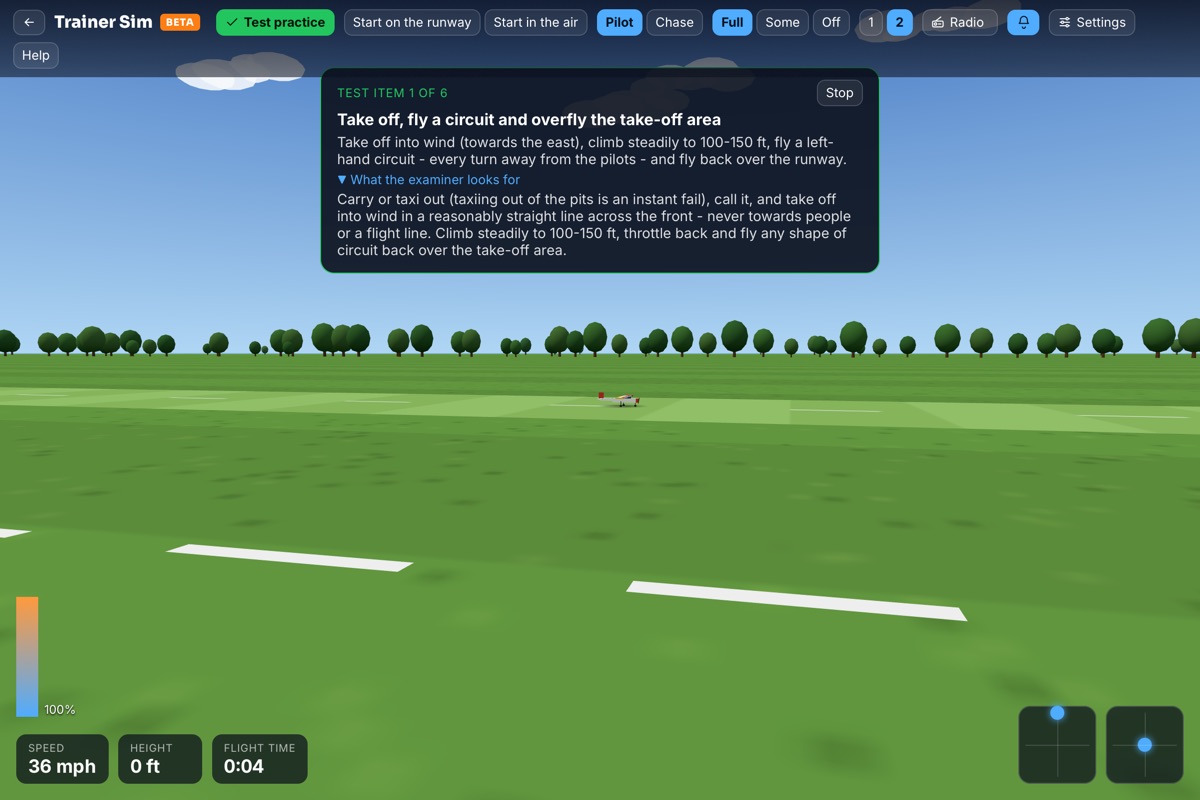
Most of us learn to fly the same way: a club trainer, a patient instructor, a buddy box and a lot of Sunday mornings. Nothing replaces that. But there's a gap between lessons where nerves, weather and the week get in the way, and that's where the Trainer Sim helps.
It's a free flight simulator that runs in your browser, built around one job: getting you ready for your BMFA 'A' certificate (and the 'B' after it).
What it is
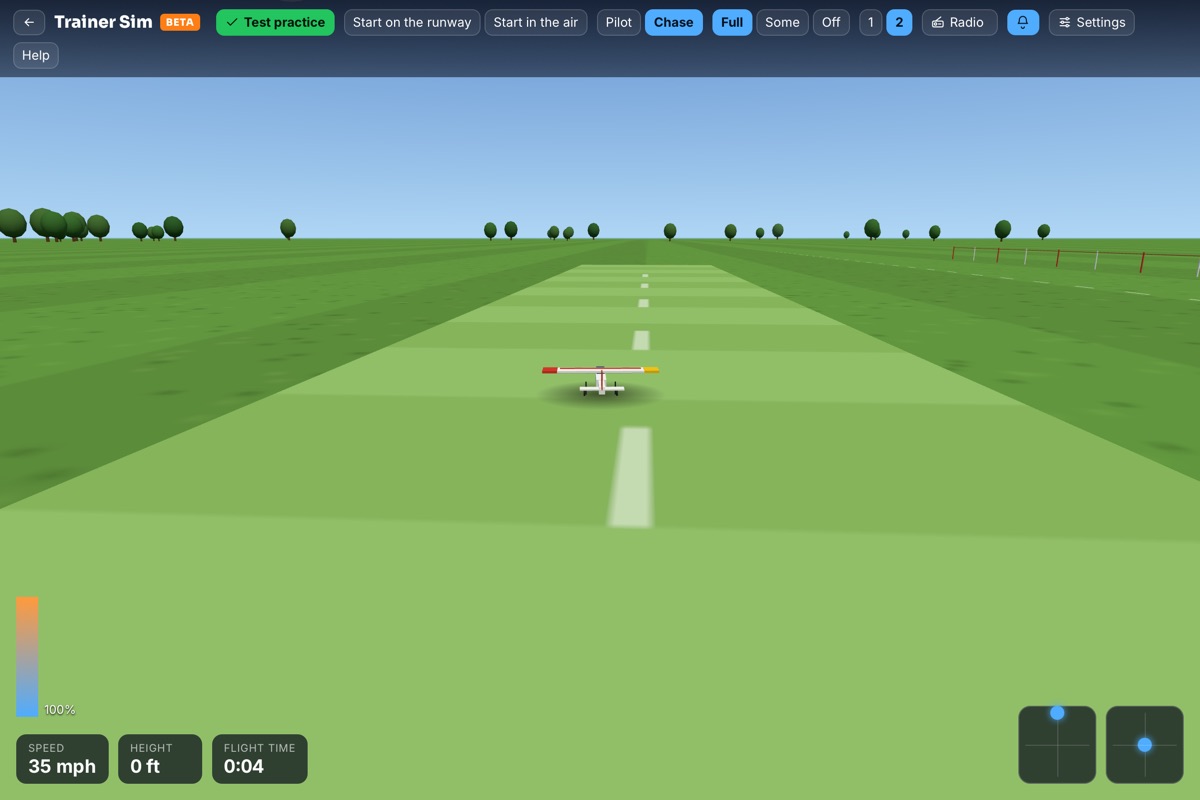
The Trainer Sim puts you in the pilot box at a club field with a high-wing trainer. You can fly it three ways:
- Keyboard on a computer - fine for learning the circuit and the sequence.
- Your own radio plugged in over USB - the best way, because your thumbs learn the real sticks.
- Your phone or tablet, held sideways, with two thumb sticks on the screen.
It's free, it needs nothing installed, and it works on the laptop you already have. You just need a free RC Flyer Pro account so it can keep your progress.
Practising the test
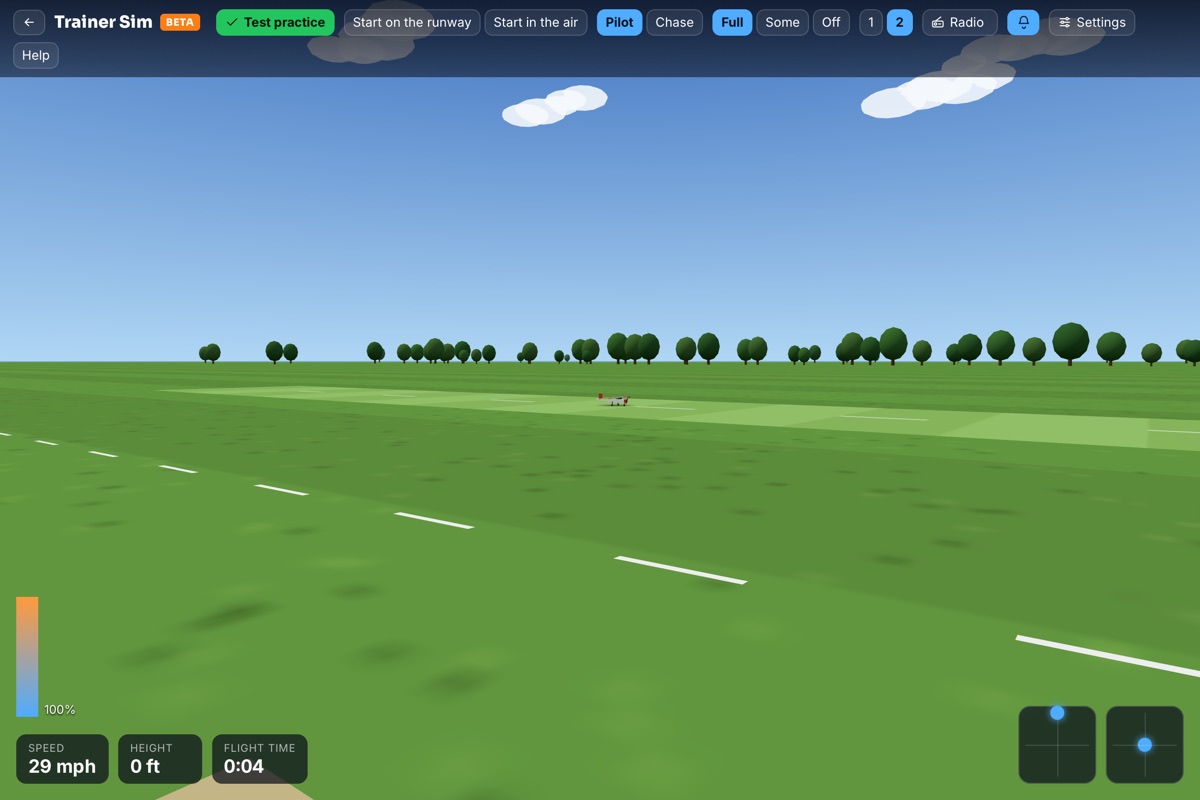
This is the part that makes it different from a general simulator. Open Test practice and you get every flying item of the BMFA 'A' certificate - take-off and circuit, figure of eight, the rectangular approach and landing, the dead stick landing and the rest - with the examiner's notes for each one.
Fly an item and the sim marks it the way an examiner would: did you take off into wind, keep the circuit a sensible shape, stay out of the no-fly side, land in the box? You get a pass or a clear note on what to fix. Items you practise show up on your BMFA certificates page, so you can see what you've nailed and what needs another go.
When the 'A' is in the bag, the 'B' tab has every item of the 'B' with an aerobatic model: loops, rolls, stall turns, spins and the rest. Helicopter pilots get their own 'A' and 'B' tabs with a heli trainer.
Learning aids and an instructor
Starting out, turn the learning aids to Full. They level the wings when you let go and slow things down a little, which gives you time to think. As you improve, step down to Some, then Off, which flies like the real thing.
There's also an instructor built in. Just before a crash, the instructor takes the controls, tells you what was going wrong and hands back once the model is safe - a bit like a buddy box. Watch the stick display while they fly and you'll see exactly what they did.
When you do crash (and everyone does), Watch the replay shows the last few seconds in slow motion with your stick inputs, and marks where it went wrong.
Your own field
Pick your own flying site and the sim uses its real runway direction and length, the side the pilots stand, and today's real wind there. On Medium or High graphics you'll see the real surroundings from the map - hedges, woods, buildings and hills - and the club's pilot box, pits and no-fly zones if they're marked on the site.
Practising a crosswind landing at your own field, in the wind that's actually blowing there today, is about as close as a simulator gets to the real thing.
More models when you're ready
Once you're confident on the trainer, there's more in the hangar: an aerobatic model, an Extra 330 for 3D, a warbird with retracts and flaps, a turbine jet, a motor glider that hunts thermals with a vario, and three helicopters including a 3D heli and a scale heli. You can switch on smoke for any of them.
Fly together
The newest addition is Fly together. Start a session, send the link to up to five friends, and you all fly at the same field in the same wind. You see each other's models with name tags and smoke, you hear each other's engines, and you can chat by typing or with your microphone.
Mid-air collisions are real, so keep a lookout and call your moves, just like at the field. And an instructor can ask to take over a student's model over the internet, buddy-box style - handy when your club instructor can't make it to the field.
Tips for getting the most from it
- Use your own radio if you can. Your thumbs learn your real sticks, rates and expo.
- Fly little and often. Twenty minutes a few evenings a week beats one long session.
- Practise the whole schedule in order. The real test is a sequence, so get used to flying it start to finish.
- Turn the aids down before your test. You want the sim to feel like the real model, not easier.
- Take it to the field. Tell your instructor which items you've been practising - it makes the next lesson count.
Open the Trainer Sim and fly your first circuit. If you're new to the hobby, the Learning to fly page has everything else you need to get started.